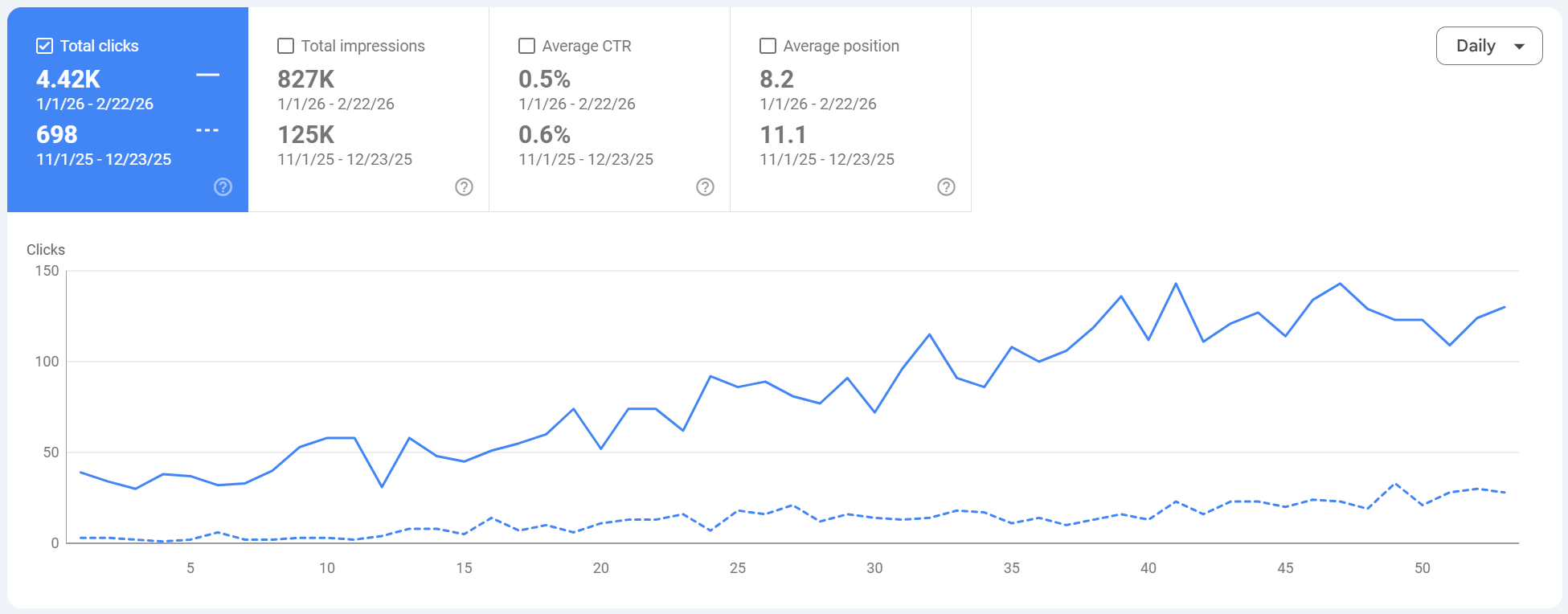
I built a semantic SEO publishing system that shipped 160 review pages and turned formatting into a growth moat.
This was not “publish AI content and pray.” I built a controlled production system: keyword-driven information architecture, reusable UX page templates, structured data automation, internal link routing, and a custom writing agent that generated consistent long-form reviews at scale while keeping pages fast.
What changed after I stopped treating content like a writing task and started treating it like an operating system.
The win was not just output volume. The real win was consistency. Every page shipped with the same quality controls: semantic intent mapping, UX modules, structured data, internal link logic, and a lightweight template footprint. That is what let 160 pages behave like one system instead of 160 random posts.
Before the system
- ×Publishing was too slow and too manual. Formatting, anchors, tables, and UI elements had to be rebuilt page by page.
- ×Schema markup and structured data were inconsistent, which makes review pages weaker in SERPs and harder to scale cleanly.
- ×Internal linking decisions were ad hoc. Pages existed, but the site did not behave like a semantic cluster map.
- ×Long-form review pages were heavy and messy unless every element was tightly templated.
After the system
- +A custom writing agent generated page-ready sections inside a controlled HTML structure and fixed module library.
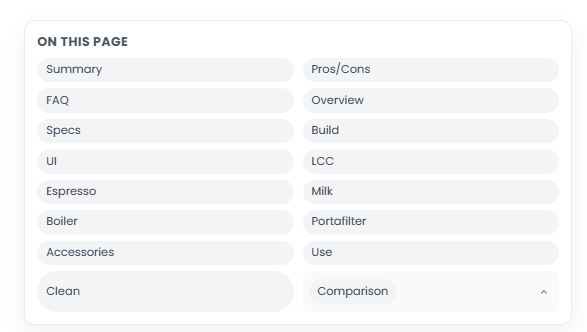
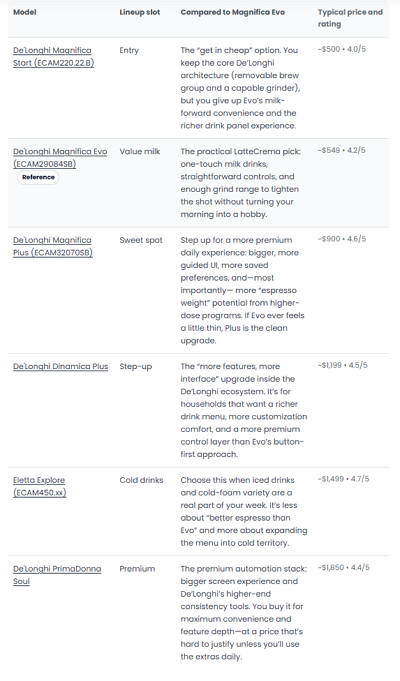
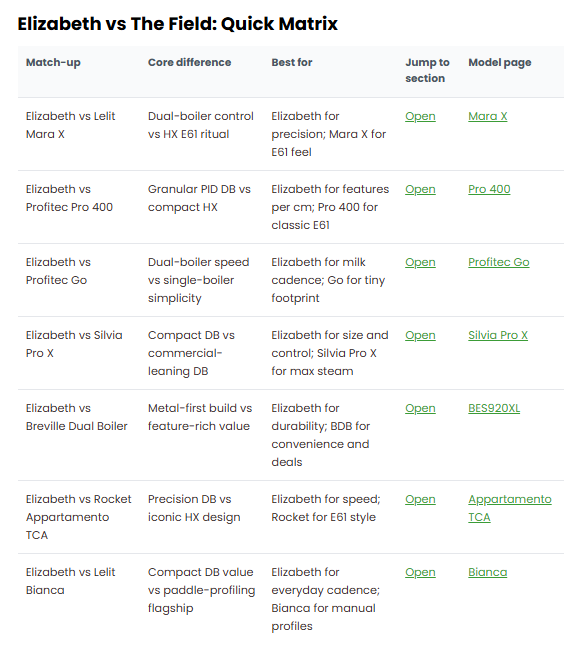
- +Each page shipped with repeatable UX modules: review card, score blocks, pros/cons, FAQ, comparison matrix, and internal jump links.
- +Semantic SEO rules were embedded into the workflow through URL mapping, main keyword ownership, related keyword grouping, and internal link routing.
- +Pages stayed lightweight and fast because the design system was componentized and optimized for simple markup delivery.
The workflow: keyword map → page shell → custom agent → schema → internal links → publish.
The important part is order. I did not start by generating content. I started by defining the information architecture and the page modules. The writing agent sits inside that system and fills it. It does not invent the system.
Keyword universe + semantic clustering
Collected keywords, grouped semantic variants, removed duplicates, and mapped intent into review, comparison, and buyer pages.
Information architecture sheet
Built URL | MainKW | RelatedKWs mapping so every page had a defined job and cannibalization rules were locked before writing.
UX page template system
Created reusable HTML modules for summary cards, TOC, pros/cons, pricing blocks, tables, FAQs, and comparison sections.
Custom writing agent
Agent generated page sections into those templates, using machine-specific inputs and template IDs instead of loose prompts.
Structured data automation
Applied schema markup by page type and auto-filled repeatable fields, with manual QA for sensitive values and edge cases.
Internal link routing
Injected contextual links to parent, sibling, and comparison pages so clusters passed authority and users had a clear path.
Performance + QA pass
Kept markup lean, compressed assets, avoided heavy JS bloat, and ran final checks on anchors, schema, and module IDs.
Publish at scale
Shipped pages in batches with the same structure, which made monitoring, updates, and future template improvements much easier.
What was actually built and why it mattered.
The screenshots show the finished pages. This section shows the machinery behind them. The key idea is simple: every SEO requirement that can be standardized should be standardized.
Information architecture came first
Every page started as a row in a planning sheet with a single keyword owner and related keyword group. This prevented the classic problem where five pages fight for the same query and none of them wins.
Semantic SEO principles baked into the workflow
- ›The agent did not choose what pages to create. The architecture did.
- ›The sheet became the source of truth for page purpose, internal links, and template selection.
- ›This made scaling safer because growth followed a map, not random topic ideas.
Custom writing agent with template-aware output
The agent was not a generic “write an article” prompt. It was constrained to generate sections inside predefined HTML modules and naming conventions. That kept output consistent across 160 pages.
- ›Inputs: machine name, brand, page type, MainKW, related KWs, pricing data, score profile, pros/cons, internal link targets, template IDs.
- ›Outputs: section copy, comparison intros, FAQ blocks, feature explanations, table rows, CTA text, and anchor-safe internal link copy.
- ›Controls: heading schema, section order, block IDs, consistent terminology, and no free-form layout invention.
- ›QA: final validation for HTML structure, schema placeholders, duplicate phrasing, and link placement.
What stayed manual on purpose
- •Final score assignments and buyer positioning logic
- •Sensitive product claims and edge-case corrections
- •Schema QA for fields that needed exact values
- •High-value internal link decisions on pillar pages
UX templates turned 10k-word pages into usable pages
Long content is useless if users cannot navigate it. I built reusable UX blocks so every review page had the same reading experience and interaction points. This improved usability and made pages easier to scan, compare, and convert.
Why this matters for SEO and affiliate revenue
- ›Clear jump links improve navigability on long pages and help both users and crawlers parse page structure.
- ›Standardized review modules improve consistency across pages, which makes QA and updates much faster.
- ›Comparison sections route users to adjacent pages, increasing page depth and affiliate decision paths.
- ›Every page can be upgraded later by updating the shared template instead of hand-editing 160 pages.
Structured data and schema markup were part of the template layer
I did not treat schema as a post-publish checklist. Schema was templated at the page level so each article shipped with the right markup pattern. That kept implementation consistent and reduced missed opportunities.
- ›Page-level schema: Article / Review-style markup with author, dates, and page metadata.
- ›FAQ schema: Generated from the FAQ block so the visible content and structured data stayed aligned.
- ›Breadcrumb support: Template-friendly breadcrumb patterns for cleaner hierarchy signals.
- ›Reusable variables: Product name, brand, section IDs, and canonical references from the content sheet.
Schema automation rule of thumb
Auto-fill what is repeatable. Manually verify what can break trust. The point is consistency, not fake precision.
Lightweight page strategy kept long pages fast
Long content does not have to be slow. The pages were designed with a lightweight HTML/CSS-first approach. Minimal JS, reusable classes, compressed assets, and clean section markup let the pages stay fast even with rich content blocks.
- ›Componentized HTML and CSS instead of heavy front-end frameworks on article pages
- ›Lean interaction patterns for accordions and jump navigation only where needed
- ›Controlled media usage and optimized screenshots / embeds
- ›Template-first optimization so speed improvements applied across the whole library
Page weight discipline
Every new module had to justify itself. If it slowed the page or made QA harder, it did not ship.
Load target
Lightweight pages were a deliberate product decision because speed compounds across 160 pages.
Template QA
Fixing a shared module improved every page that used it, which is the entire point of this setup.
Conversion path
Deals rail, buy buttons, and comparison routes gave users obvious next steps without clutter.
The reusable page modules that made 160 pages feel like one product.
This is the part most people skip. They talk about prompts. Prompts are not the moat. The moat is a reusable template system tied to a semantic architecture and publishing workflow.
| Module | Purpose | SEO / UX impact | Inputs | Automation level |
|---|---|---|---|---|
| Review Summary CardHero module with score, pricing, positioning | Creates instant context for the page and sets buyer expectations | Improves scanability and trust on long reviews | Product name, ratings, pricing, summary, pros/cons | High |
| Jump Navigation / TOCSection anchors with consistent IDs | Makes 10k+ word pages usable | Better navigation, cleaner section parsing, lower friction | Section list, heading IDs | High |
| Pros / Cons BlockDecision-focused summary panel | Speeds up buyer evaluation | Higher UX quality and stronger conversion intent capture | Bullet lists, notes | High |
| Score GridEspresso / milk / workflow / build etc. | Standardizes product evaluation framework | Comparable structure across all review pages | Category scores | Medium |
| FAQ Accordion + FAQ SchemaVisible content and structured data pair | Answers repeat buyer objections in one reusable block | Content depth + schema consistency | Q/A pairs | High |
| Versions TableV2 / V3 / current generation deltas | Handles product revision confusion and trust issues | Great for long-tail intent and buyer confidence | Version notes, differences | Medium |
| Comparison MatrixHead-to-head routing block | Links users into comparison and alternative pages | Internal link architecture + commercial navigation | Competitors, key differences, link targets | High |
| Deals Rail / Affiliate CTAProduct cards and buy actions | Adds clear monetization paths without clutter | Direct revenue impact on buyer-intent pages | Product cards, pricing, links | Medium |
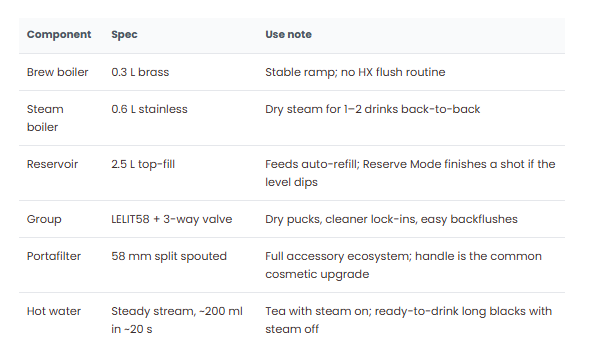
| Hardware / Build SectionsTechnical inspection modules | Supports expert-style review depth | Topical depth and trust on product pages | Inspection notes, images, bullet lists | Medium |
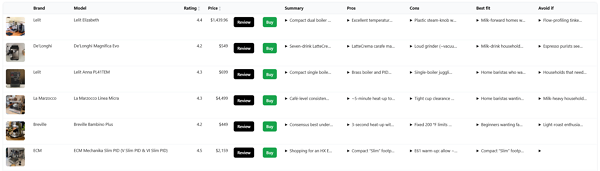
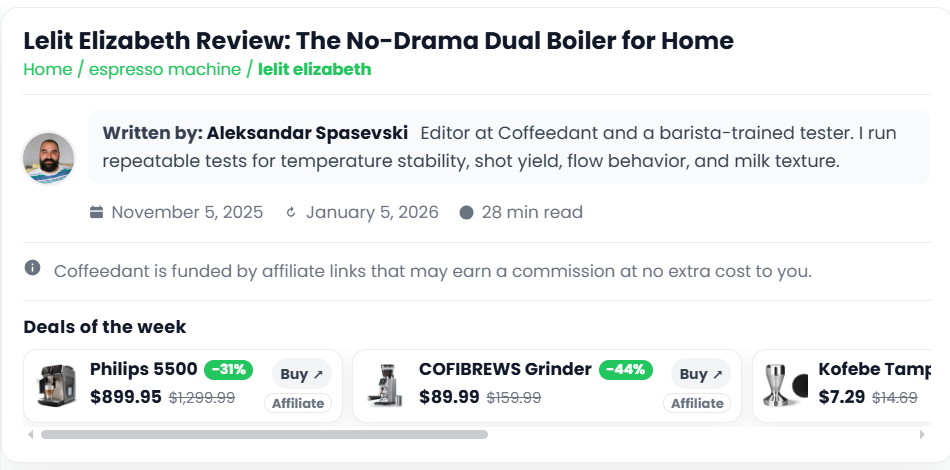
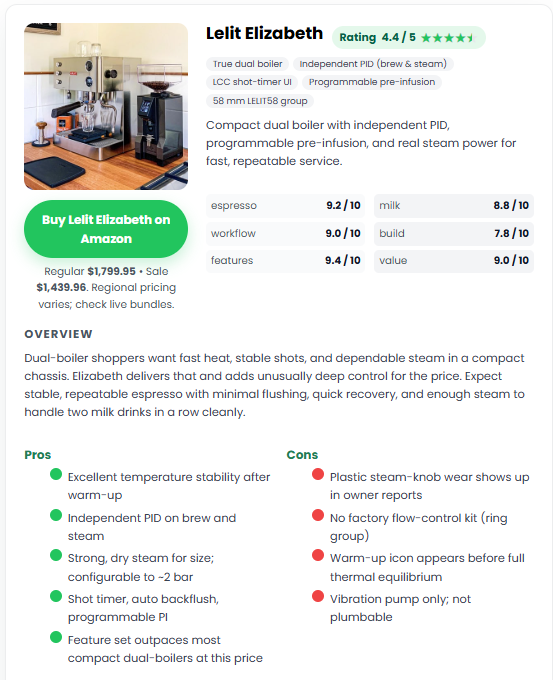
What the system output actually looked like on the live site.
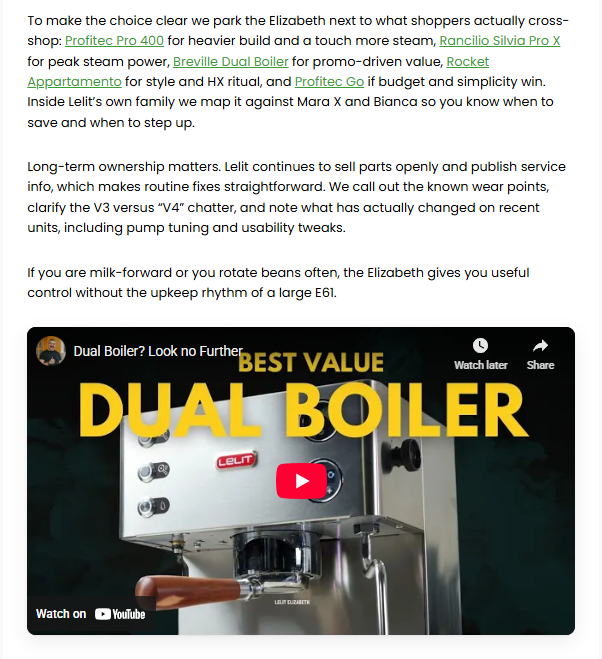
Compact, structured screenshot gallery (3 per row). Each tile keeps the image square so you can scan fast, and captions stay readable.
What made this work, and what I would tell a client before they try to copy it.
The mistake is thinking the magic is in the model. It is not. The magic is in the constraints. If the architecture is messy and templates are undefined, automation just helps you publish chaos faster.
What made the system work
- +IA first: URL and keyword ownership were defined before content production started.
- +Template discipline: The writing agent filled modules. It did not invent layouts.
- +Schema in the template layer: Structured data became a default, not an afterthought.
- +Internal linking as a system: Every page knew where it should route users next.
- +Performance budget: Lightweight pages were non-negotiable, especially at scale.
What breaks these projects fast
- ×Starting with prompts instead of starting with architecture
- ×Letting every page use a different layout or heading logic
- ×Publishing without internal links and hoping “Google figures it out”
- ×Adding heavy design effects that slow long-form pages
- ×Treating schema as optional or inconsistent across page types
Questions I expect from agencies and operators reading this.
The point is not “AI content.” The point is a controlled delivery system that can be reused across sites and client accounts.
Want this same delivery machine for your site or your agency portfolio?
This case study shows the system in an affiliate environment, but the same mechanics apply to client delivery: semantic architecture, repeatable templates, structured data, internal link routing, and QA-backed publishing.
If your team is stuck between strategy and execution, this is the gap to fix. Build the system once, then let it scale.
What I can build
- Keyword universe + semantic site architecture
- Template systems for reviews, service pages, or local pages
- Custom writing agents with constrained outputs
- Schema and structured data automation
- Internal link routing frameworks
- Lightweight publishing workflows and QA loops